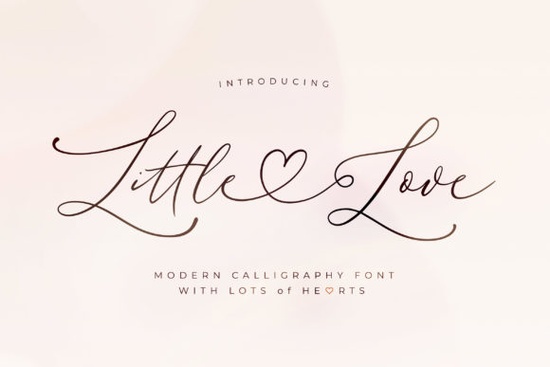
Finding typography that balances elegance with readability is often the hardest part of a design project. Whether you are making wedding invitations or branding a small boutique, the script you choose sets the tone immediately. The Little Love Font offers a refined and graceful option for those who need a clean, thin aesthetic. It works particularly well for projects that require a soft touch without sacrificing clarity. Many creators look for typefaces that feel personal yet professional, and this script fits that need by providing a smooth vibe that appeals to a wide audience. If you are tired of bulky letters that dominate the page, this typeface provides a lighter alternative that still holds presence.
What makes this script suitable for delicate designs?
When you are working on projects like bridal stationery or luxury packaging, heavy bold letters often feel out of place. This typeface relies on thin strokes and smooth curves to create a sense of sophistication. Unlike some retro groovy styles that demand attention with thick lines, this font stays subtle. It allows the message to feel intimate rather than loud. Designers who work with print-on-demand products often find that thinner scripts translate well onto materials like mugs or tote bags where space is limited. The clean lines ensure that even at smaller sizes, the text remains legible. This is crucial for items like stickers or labels where every millimeter counts. You want your customer to read the brand name instantly without squinting.
How easy is it to access swashes and glyphs?
One of the most frustrating parts of using script typography is dealing with complex OpenType features. Many designers struggle to access alternate characters without specialized software or advanced knowledge. This font is PUA encoded, which simplifies the process significantly. You can access all of the glyphs and swashes with ease directly from your character map. This feature saves time during the creative process because you do not need to hunt for specific key combinations. If you have ever tried to use a vintage handmade look that lacked proper encoding, you know how valuable this functionality is. It ensures consistency across different programs, whether you are using Cricut Design Space, Silhouette Studio, or Adobe Illustrator. For crafters who cut vinyl, having direct access to swashes means less time weeding and more time creating.
Where can you use this typeface in your business?
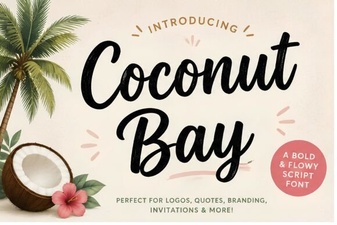
Versatility is key when you are running a creative shop. You need assets that work across multiple platforms without losing quality. This script is a hit for any design that you want to add it to, ranging from social media graphics to physical merchandise. For example, it pairs beautifully with simple sans-serif fonts for logo creation. If you are building a brand around relaxation or self-care, you might also consider pairing it with something like the Coconut Bay style for a summery contrast. Small businesses selling on Etsy or Shopify can use this for product labels, thank you cards, and website headers. The graceful nature of the letters adds a premium feel to standard items. You can also use it for digital planners or printable wall art where aesthetics drive the purchase decision. Having a reliable script in your arsenal allows you to say yes to more client requests.
Are there similar options if you need a different vibe?
While this script is excellent for refined projects, sometimes you need something with more bounce or personality. If you are looking for variations that feel slightly more playful, you might explore the stay wonderful collection. Alternatively, for projects centered around romance or couples, checking out honeymoon handwriting options could provide the right emotional connection. It is always good to have a few different scripts in your library so you can match the typography to the specific mood of the client or product. Having options allows you to pivot quickly when a design direction changes. Sometimes a client wants something that feels more casual, and other times they need strict elegance. Knowing where to find these variations helps you maintain a steady workflow.
Before you start your next project, make sure your software is ready to handle script fonts properly. Installing the file correctly ensures that all the swashes appear as intended. Here is a quick list to help you get started with your new typography asset.
- Install the font file on your computer before opening your design program.
- Check the character map to find available swashes and alternates.
- Test the legibility at different sizes before finalizing your print files.
- Pair with a simple sans-serif font to maintain balance in your layout.
- Save a copy of your design with outlined text to avoid missing font errors.
Taking these steps will help you avoid common technical issues and ensure your final output looks professional. With the right tools and a graceful typeface, you can create designs that resonate with your audience. Remember that typography is not just about reading words; it is about feeling the emotion behind them. Choose wisely based on the message you want to send.
Get Started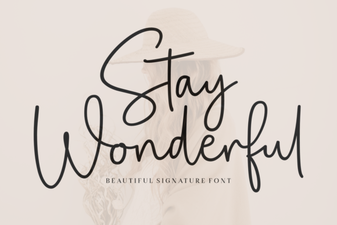 Stay Wonderful Font: Free Download & Design Inspiration
 Download the Tropical Coconut Bay Font for Creative Projects
 Crafting Timeless Baseball Designs with Classic Fonts
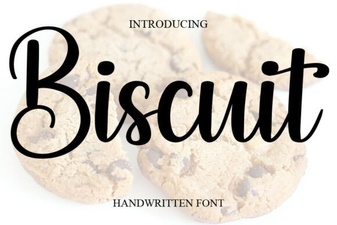 Unlock Design Creativity with the Biscuit Font
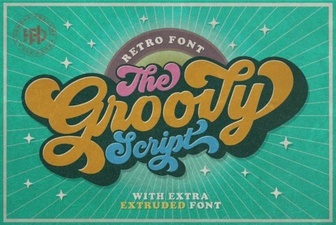 Groovy Fonts: Design Tips and Creative Uses
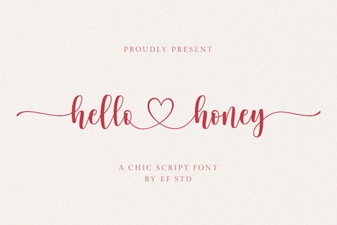 Hello Honey Font Design & Download Guide